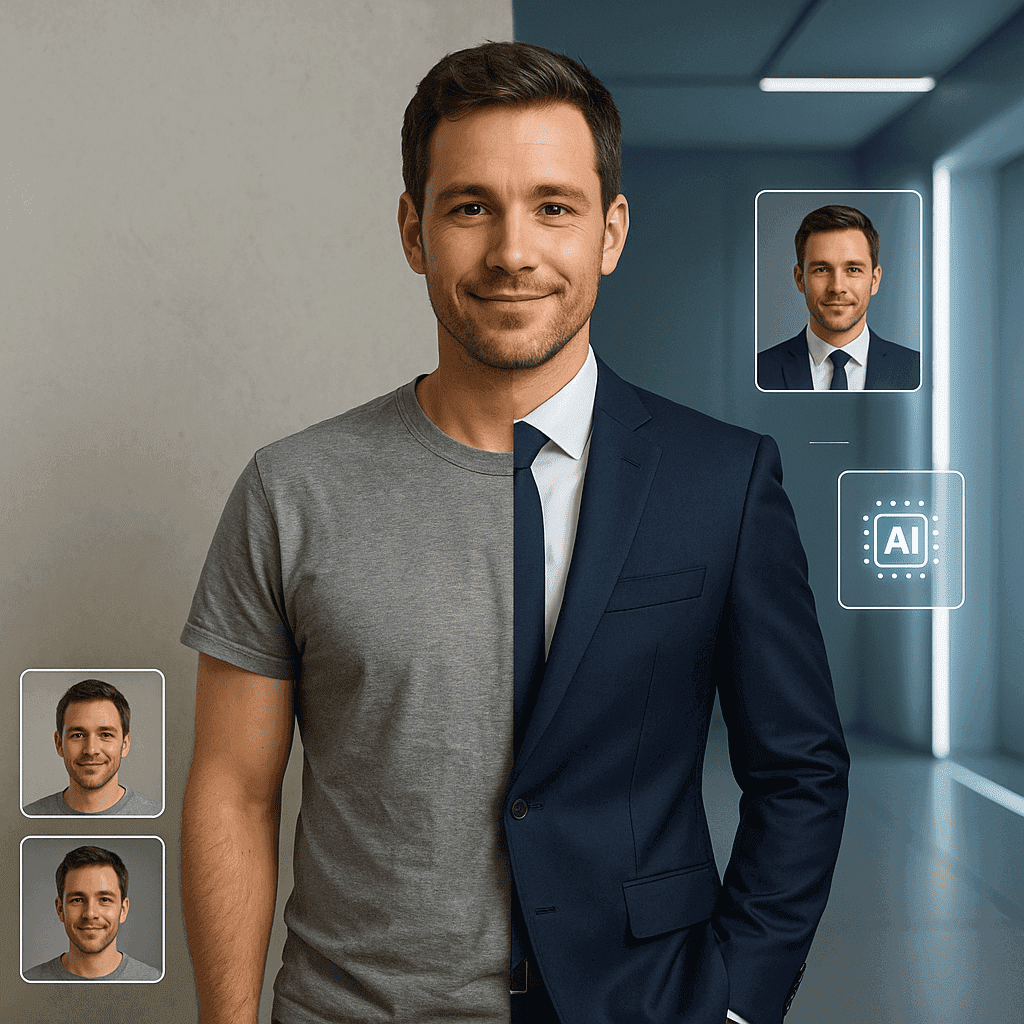
In today’s digital age, making a lasting impression online is more crucial than ever, especially on platforms like LinkedIn. Your professional headshot isn’t just a picture; it’s the first glimpse others get of you, and let’s face it, we all want to put our best foot forward. With the rise of AI technologies, creating a standout headshot that truly reflects your personality and professionalism is easier than you might think. Imagine having a polished image that not only captures your essence but also signals to potential employers and connections that you’re serious about your career.
But how do you go from a simple selfie to a stunning AI-generated headshot that cultivates a sense of trust and approachability? In this article, we’ll explore practical steps you can take to harness AI tools that bring your vision to life—allowing you to craft a professional image that resonates with your audience. Whether you’re a seasoned professional or just starting out, belonging to a community of like-minded individuals begins with how you present yourself. Let’s dive into the world of AI and transform your LinkedIn profile into a powerful networking tool!
Choosing the Right Tools for AI-Generated Headshots
When it comes to choosing the right tools for AI-generated headshots, you’ve got quite a few options at your fingertips, and there’s no one-size-fits-all approach. Firstly, some platforms like PhotoRoom or Canva have really user-friendly interfaces, making them perfect if you’re just stepping into this realm of digital imagery. However, if you're seeking something more specialised, you might want to explore services like Daz 3D or Artbreeder, which offer unique customisations that allow you to generate headshots more tailored to your personal brand. Now, while quality matters—after all, this image will be your first impression on LinkedIn—consider the balance of cost versus features. You don’t want to break the bank if you can find something that meets your needs without sacrificing quality. And as you look through these choices, think about how each tool can help capture your essence in a professional manner, giving you that sense of belonging and confidence in a digital space. Once you've settled on a tool that resonates with you, the next thing you'll want to think about is preparing your existing photos for optimal results, ensuring that they work harmoniously with the tool you've chosen.
Preparing Your Existing Photos for Optimal Results
Imagine the moment when you click "upload" on your LinkedIn profile, only to be met with a dull, lifeless headshot that doesn’t capture your essence, right? Well, if you’re looking to create an AI-generated professional headshot that truly reflects who you are, preparing your existing photos is a key step. First off, gather a collection of your best images—those where you appear confident and approachable—because a sprightly smile can light up even the gloomiest of online profiles. Sorting through these selections might feel like sifting through a treasure chest; you want to find those jewels that represent you at your best.
Once you’ve got your picks, it's time to fine-tune them for optimal results. You'll want to pay attention to lighting; bright, natural light often works wonders, whilst harsh shadows can cast a dreary pallor to your pics. You might consider cropping the images to center your face; this can dramatically enhance the overall focus and impact. Additionally, getting rid of distractions in the background will keep the spotlight firmly on your smiling visage. And remember, it’s not just about looking good during the actual photo shoot—high-resolution images are fundamental when feeding into the AI programmes designed for creating those headshots.
Taking these thoughtful steps in preparing your photos can make a world of difference when it comes to generating a professional image that resonates. The process doesn’t stop here, though; you'll want to think creatively about how to customize your AI-generated headshot for that polished professionalism, ensuring it aligns with how you wish to be perceived in your chosen field.
Customizing Your AI-Generated Headshot for Professionalism
When you’re customizing your AI-generated headshot, it’s essential to focus on the elements that contribute to a polished, professional look. First off, think about the background; you want it to be clean and unobtrusive, really letting your face shine through. Next, let’s not forget about the attire. Wear something that aligns with your industry, while also being true to your personal style—remember, the goal is to reflect who you are while also fitting into a network you want to belong to. Facial expressions can make or break a headshot too; a genuine smile can convey approachability, showing that you’re someone people can connect with. And while you’re at it, pay attention to lighting; soft, natural light often works wonders in creating an inviting atmosphere that draws people in. Each of these details might seem small, but when combined, they create a headshot that not only stands out but also feels authentic to you. With your newly polished image ready, it’s worth taking a moment to ensure that your photo meets LinkedIn's guidelines for optimal professionalism and visibility on the platform.
Ensuring Compliance with LinkedIns Photo Guidelines
Ah, the quest for the perfect LinkedIn headshot—it's almost an Olympic event at this point. Who knew that a picture could be the difference between landing that dream job and being left to languish in the abyss of bounced resumes? But let’s get serious for a moment. When it comes to your professional photo, adhering to LinkedIn's guidelines is crucial; after all, no one wants a rejection because their picture looks like a blurred mess from a family vacation in the ’90s. So first off, they recommend a clear image of your face—preferably not at a distance that makes you resemble a tiny speck in a vast ocean. The size should be around 400 x 400 pixels; that’s just enough to make sure you stand out amid the sea of suit-clad candidates. And don't even think about sporting sunglasses or hats that could just scream “I don’t take this seriously.” Your likeness should convey confidence and approachability, which means a friendly smile and well-groomed appearance.
Now, let’s talk about composition: it should predominantly feature you, rather than the distant mountains or your pet lizard—unless, of course, the lizard holds your credentials. It's worth remembering that your background should be simple, unobtrusive, and, dare I suggest, quite professional. And hey, if you decide to use AI-generated styles, just make sure they're tailored to resonate with LinkedIn's predominantly business-focused vibe. Finally, you’re not just adding a headshot; you're forging a connection in a digital world where appearances matter far more than we sometimes like to admit. So, while you’re sprucing up your pic, think about how to enhance the rest of your LinkedIn profile too, making sure it not only captures your professional essence but also invites networking opportunities as broad as your ambition.
Tips for Enhancing Your LinkedIn Profile with Your New Headshot
When you’ve got a fresh headshot that really captures who you are, it’s time to think about how to elevate your LinkedIn profile with it. First off, think about the context; your profile isn't just a static online resume, it’s a chance to make connections and portray your professional narrative. Maybe add an engaging summary that reflects your current role or aspirations—people want to relate to someone who’s both genuine and skilled. For instance, if you’re in marketing, you might highlight projects that not only demonstrate your talent but also your passion for creativity. Plus, don’t forget to engage with your network; liking or commenting on posts can spark conversations, building that sense of community we all crave. When it comes to your headshot, authentic smiles resonate, and the right angle and lighting make all the difference. So while this new image is a stepping stone, don’t lose track of the story you’re telling through your profile as a whole. Your image is a doorway; the connections you create are the journey—remember, the real magic happens when you open it up to others.
Frequently Asked Questions
What are the best practices for taking my own photos to use in AI generation?
Imagine standing in a bustling café, where laughter mixes with the aroma of freshly brewed coffee; now picture that scene turned into a professional headshot that captures your essence. Creating a stunning AI-generated photo for LinkedIn starts, really, with taking your own images, and it’s easier than you might think. To start with, think about the lighting—natural light can make all the difference, so try snapping your shots near a window during the golden hour, that dreamy time just before sunset. Then you’ll want to consider your backdrop; a simple, uncluttered background keeps the focus on you, whilst a touch of greenery can add life without overwhelming the frame. Wearing something that reflects your personality is key, so choose an outfit that feels authentically you, yet professional enough for the audience you want to attract. And don't forget to smile—it's one of the simplest ways to radiate approachability. Finally, take a bunch of shots from different angles and distances. Not all may work perfectly, but that variety gives a bit of flair when you pass them off to an AI tool. Once you’ve got your photos sorted, the next step is picking the right AI option to help you refine and polish your headshot, creating one that really stands out.
How do I choose the right AI tool for generating a headshot?
Choosing the right AI tool for generating a professional headshot can feel a bit overwhelming, especially with so many options out there. You might wonder if the idea that all tools create similar outputs holds any truth; however, you'd be surprised at how distinct they can be in terms of quality and style. So, when you're sifting through these options, think about what you're really looking for—do you want something that captures a specific vibe or perhaps something that aligns more closely with industry standards? As you explore, remember that it’s not just about the tech; it’s about finding a tool that resonates with who you are professionally and personally. Factors like user-friendliness, customization, and the ability to reflect your unique brand can really make a difference. Once you find the right match that feels like it captures your essence, you'll be on the path to creating a headshot that truly represents you. But hey, what specific features should you keep an eye out for in an AI headshot to ensure it embodies your professional persona?
What specific features should I look for in an AI headshot to ensure it represents my professional persona?
Imagine you walk into a networking event, and you spot a person across the room whose headshot on LinkedIn instantly catches your eye. You can tell they mean business, yet they’re approachable—something about the lighting and angle just nails it. That’s what a great AI-generated headshot should do for you; it needs to convey not just professionalism, but also your personal brand. So, when you’re considering which AI tools to use, look for specific features that’ll help you achieve that balance. A tool should allow you to adjust lighting, background, and even facial expressions; these elements can change the whole vibe of your headshot. After all, a smiling face tends to invite connection, while a more serious expression might communicate authority. Plus, you’ll want to ensure the resolution is high enough for clarity because blurry images just don’t cut it in today’s visually-driven world. Think about it—if you want to represent yourself as approachable yet competent, you’ll need these features to align with your goals. Trust me, investing in an AI headshot that captures your authentic self is key to making those meaningful connections you crave in your professional life. So, next time you're updating your profile, keep these aspects in mind; they can truly elevate your online presence and help you feel right at home in your industry.
Conclusion
Creating an AI-generated professional headshot for LinkedIn can seem daunting at first, but it’s an effective way to enhance your online presence. You might worry that an AI tool can’t capture your unique personality. However, with the right preparation and customization, you can produce a standout image that reflects your professional identity.
Remember, many professionals are turning to AI tools to keep up with digital trends, and it’s completely acceptable! By taking the time to select the best tools and tweaking the results, you'll ensure your headshot is not just professional but also personal. Embrace the opportunity to elevate your LinkedIn profile!